selenium模块利用performance获取network日志请求报错如何解决
报错问题
报错代码如下所示:
chrome_options = webdriver.ChromeOptions()
# chrome_options.add_argument("--disable-blink-features=AutomationControlled")
# chrome_options.add_experimental_option('excludeSwitches', ['enable-logging'])
chrome_options.add_experimental_option('w3c', True)
caps = DesiredCapabilities.CHROME
caps['loggingPrefs'] = {'performance': 'ALL'}
driver = webdriver.Chrome(desired_capabilities=caps, options=chrome_options)  #
driver.implicitly_wait(8)
driver.maximize_window()
driver.get(goods_url)  #
# 获取network请求
logs = [json.loads(log['message'])['message'] for log in driver.get_log('performance')]
for log in logs:
	print(log)
print('------------')报错信息截图如下所示:
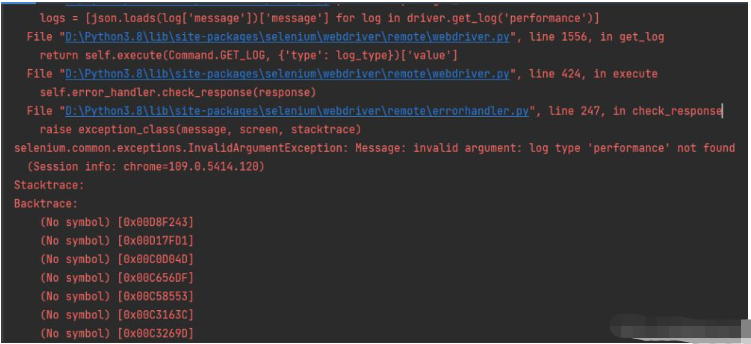
selenium.common.exceptions.InvalidArgumentException: Message: invalid argument: log type 'performance' not found
报错翻译
报错信息内容翻译如下所示:
selenium.mon.解释.无效参数异常:消息:无效参数:找不到日志类型“performance”
报错原因
报错原因如下:
使用caps['loggingPrefs'] = {'performance': 'ALL'}监控network请求日志记录,但是新版selenium模块,改名了所以会提示找不到performance。
小伙伴们按下面的方法修改代码即可解决!!!
解决方法
新版selenium模块将caps['loggingPrefs'] = {'performance': 'ALL'}修改为下方代码即可:
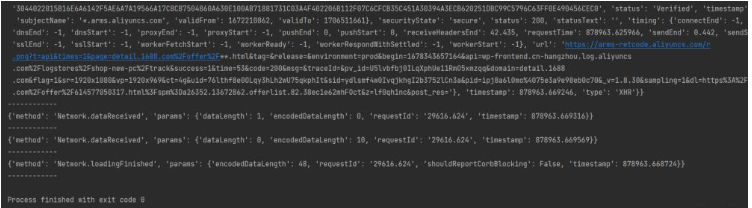
caps["goog:loggingPrefs"] = {"performance": "ALL"}再次运行代码成功了: